

Guide
Sell a Dell Computer: How UK Sellers Get a Fair Offer
Selling a Dell computer? Find out what affects the offer, how free laptop postage works, and when payment lands after your kit is checked.
8 minute read
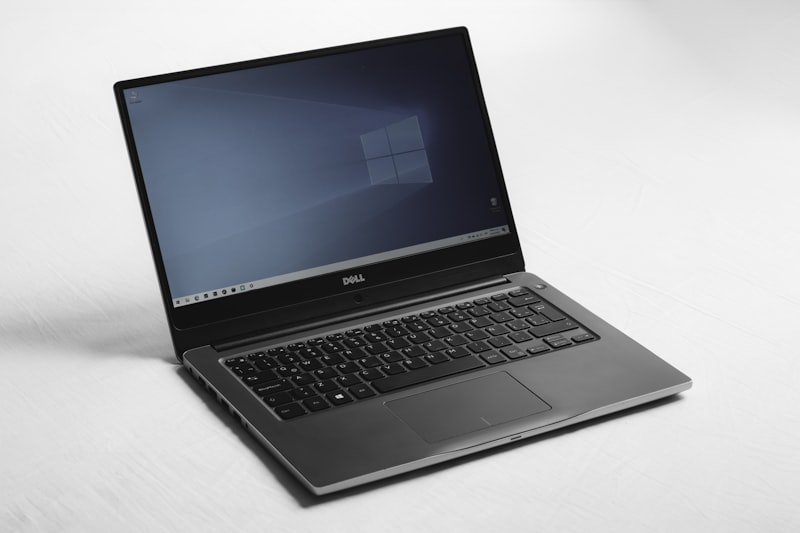
Yes, you can sell a Dell computer, whether it still runs or not, and you do not need a manufacturer trade-in scheme to do it. UK equipment buyers purchase Dell laptops, towers, all-in-ones and the accessories that come with them. What changes from machine to machine is the offer, and the offer depends on a person assessing what you actually have.
Can You Sell Any Dell Computer, Whatever Its Age or Condition?
Yes. Buyers such as DeberyTech purchase any make, any age, working or faulty, so a Dell that will not power on is still worth asking about. Dell's own product range covers laptops, desktops, all-in-ones, servers, storage, monitors, gaming machines and accessories, and second-hand demand broadly follows that spread. An older tower may be wanted for parts while a recent laptop may be wanted as a working machine.
The real question is not whether the machine is too old to sell, but whether a buyer still wants it. That is something only a buyer can answer, which is why a free quote costs you nothing beyond an accurate description of the kit.
Dell's Trade-In Programme Has Changed
At the time of writing, Dell's own trade-in site indicated that it was not accepting new submissions, and that devices already shipped were still being processed. Terms like these change without notice. If you were planning to trade a machine in against a new purchase, confirm the current position with Dell before counting on it.
Direct sale to a UK equipment buyer remains a straightforward alternative. Dell sets its own trade-in terms and they can change, so check anything you read about them with Dell directly.
How a Person-Quoted Offer Differs from an Instant Online Price
Some buyers show an automated figure the moment you pick a model from a dropdown. DeberyTech does not work that way. You receive a free, no-obligation quote that a person works out from the details you provide, with no instant pricing engine behind it.
Two consequences are worth understanding. First, you are not squeezed into a category that does not quite match your machine, because a person reads what you have written. Second, the figure is based on your description, so it is subject to a check when the equipment arrives. Every quote is checked against what actually turns up, and where the equipment differs from the description the offer is revised. That is why accuracy at the description stage matters more than filling in a quick form.
What Actually Affects What Your Dell Is Worth
No sensible article can give you a number, and anyone who quotes one without seeing the machine is guessing. What can be explained is the list of things a buyer weighs up:
- The model and how recent it is, including the processor family it was built around.
- Memory and storage, and whether the storage is a solid state drive or an older spinning disk.
- Screen condition on a laptop, including scratches, pressure marks and dead pixels.
- Battery health, which matters more on a laptop than on a desktop.
- Physical condition, such as dents, cracks, missing keys, damaged ports and worn hinges.
- Whether it boots and runs normally, or fails partway through startup.
- What comes with it, including the charger, power lead, docking station or original box.
- General demand for that model at the time you sell.
Two machines with the same model name can attract very different offers, because a business fleet machine and a heavily used home machine of the same generation rarely arrive in the same state.
Describing Your Dell Accurately the First Time
Accuracy is the biggest thing you control. Before requesting a quote, gather the following:
- The full model name. Dell machines typically carry a model or service label on the chassis that confirms the exact specification.
- Processor, memory and storage, read from the system information screen rather than from memory.
- Screen size and whether the display is touch-enabled.
- Any faults, described plainly. A machine that shuts down when it gets warm is worth flagging properly rather than labelling a minor issue.
- A list of accessories you are sending with it.
- Photographs of the machine, including any damage.
If the machine will not start, say so and give whatever details you can from the label. A buyer who knows a laptop is dead before it arrives will not be surprised by it later.
Postage, Collection and Heavier Kit
Agree the postage arrangement with the buyer before anything is sent. Pack it with padding on all sides, keep the charger in the box, and use the original packaging if you still have it.
Desktops, towers, monitors, servers and other bulky equipment are a different matter, because weight and dimensions change the practicalities. Ask the buyer what collection or delivery options they can offer rather than assuming, and agree the arrangement before anything leaves your premises. Never send equipment before a quote has been discussed and confirmed.
Data on Your Dell: What Happens to It
You do not need to wipe the drive yourself to sell a Dell computer. If the machine still starts, the sensible steps are to back up anything you want to keep and sign out of accounts, browser profiles and any cloud services tied to the machine.
Where a drive is wiped as part of the process, a data erasure certificate is issued. If a drive has already failed and cannot be wiped, tell the buyer up front so the position is clear on both sides. It is also reasonable to ask how data is handled before sending anything, particularly if the machine came from a workplace.
When Payment Arrives
Ask the buyer when they pay and what starts the clock — arrival, checking, or something else — and get the answer in writing before you send anything.
To avoid delays, give payment details that are correct and in your own name, and make sure the parcel can be matched to your quote. If a business is selling the machine, agree who the payment goes to before the kit is sent.
Faulty, Damaged and Very Old Dell Machines
Faulty equipment is normal rather than exceptional. Cracked screens, failed drives, dead batteries, missing chargers, machines that will not boot and machines that have had liquid spilled on them all turn up at buyers, and all are worth describing in a quote request.
Some machines have no resale value at all. Sometimes the honest answer is that an item is worth nothing, and a buyer who tells you so has saved you the effort of packing and posting it. What it does mean is that broken is not a reason to skip asking. Ask first, decide afterwards.
Selling a Dell Laptop, a Dell Desktop or Something in Between
The common ground across all Dell kit is the same: describe it accurately, agree a quote, and agree the payment terms before anything is sent. Where things differ is in the practicalities.
Laptops are the simplest to move because they are light. Desktops and all-in-ones raise questions about collection, packing and whether the keyboard, mouse and monitor are included. Servers, storage and networking kit from Dell bring their own considerations around drives and configuration. If you are specifically selling a Dell desktop, our Dell desktop page covers that ground in more detail.
Mistakes That Reduce What You Get for a Dell
- Using the original retail price as a benchmark. Second-hand value is set by the market, not by what the machine cost new.
- Waiting years longer than necessary. Older kit generally attracts less interest than current kit.
- Guessing the specification instead of checking it.
- Leaving out faults, then being surprised when the offer is reviewed after the check.
- Sending equipment before a quote has been agreed.
- Forgetting the charger, which makes a laptop harder to test and less attractive.
Frequently Asked Questions
Can I sell a Dell computer that will not switch on?
Yes. Buyers such as DeberyTech purchase any make, any age, working or faulty, so a Dell that will not power on can still be quoted for. Describe the fault as clearly as you can, note whether the charger is included, and mention any visible damage. The answer may be that there is no value, but asking costs nothing.
Do I need to wipe my Dell computer before selling it?
No, you do not have to wipe the drive yourself. Back up anything you want to keep and sign out of accounts where the machine still starts. Where wiping is carried out as part of the process, a data erasure certificate is issued. If a drive has already failed, tell the buyer so both sides know where things stand.
How long does payment take when I sell a Dell computer?
Ask the buyer what their payment terms are and what starts the clock. Allow for the journey as well. Give accurate payment details to prevent avoidable delays, and if a business is selling the machine, agree in advance who receives the funds.
Is an old Dell computer worth anything?
Sometimes yes, sometimes no. Older Dell machines can still attract interest for parts or for general use, particularly if they power on and come with a charger. Very old or badly damaged kit may have no value at all. A straight answer from a buyer is more useful than an optimistic guess, so ask and find out.
Where can I sell a used Dell computer in the UK?
You can sell directly to a UK equipment buyer such as DeberyTech, which buys Dell laptops, desktops, servers, storage, monitors and components. You could also list the machine yourself on a marketplace or use a manufacturer scheme, though you should check the current terms of any scheme first. Check the current terms of any scheme before relying on it.
Sell your IT equipment
Tell us what you have and we will come back with a free quote for anything we are able to buy. There is no obligation to accept it.
Sell your IT equipmentReady to sell your IT equipment?
Tell us what you have and we will take a look. No obligation, and no equipment is too old for us to assess.